AI is no longer just a suggestion tool: it’s become a true development teammate.
Here’s how we built Claude Agent, an autonomous service that executes development tasks on command.
The Z&V context
Initially, our ecosystem was composed of multiple repositories, which doesn’t facilitate a global view of the codebase.
While segmentation makes sense for humans (separation of responsibilities - especially between front-end/backend scope)
For an agent, the goal is rather to work from a meta repo that contains the entire codebase, enabling complete and general understanding of the project.
Our current technical ecosystem includes four git repositories that we’ve unified as submodules in a workspace repository, each with its own stack:
- nuxt/: Nuxt 3 frontend with 200+ Vue components
- magento/: Magento 2 backend with our custom extensions
- lambda/: 24 Node.js services on AWS Lambda
- infra/: Infrastructure-as-Code Terraform + Docker
The whole thing serves a multi-country, multi-region site, ~15 million monthly visitors, and a team of 3 developers juggling between these universes. With the introduction of AI in our development process (Cursor -> Windsurf -> Claude Code), code review was becoming a bottleneck, and business questions about the codebase were consuming precious time.
The agent architecture
Our solution: a Node.js 22 + Express microservice that orchestrates Claude Code CLI as an autonomous agent.
┌─────────────┐     ┌─────────────┐     ┌─────────────┐
│   GitLab    │     │    Slack    │     │    Jira     │
│  Webhooks   │     │  Commands   │     │  Webhooks   │
└──────┬──────┘     └──────┬──────┘     └──────┬──────┘
       │                   │                   │
       └───────────────────┼───────────────────┘
                           │
                    ┌──────▼──────┐
                    │   Express   │
                    │  Validator  │
                    └──────┬──────┘
                           │
                    ┌──────▼──────┐
                    │   AWS SQS   │
                    │    Queue    │
                    └──────┬──────┘
                           │
                    ┌──────▼──────┐     ┌─────────────┐
                    │ Claude Code │────▶│     PVC     │
                    │    Worker   │◀────│  Codebase   │
                    └──────┬──────┘     └─────────────┘
                           │
       ┌───────────────────┼───────────────────┐
       │                   │                   │
┌──────▼──────┐     ┌──────▼──────┐     ┌──────▼──────┐
│   GitLab    │     │    Slack    │     │    Jira     │
│  Comments   │     │  Messages   │     │   Updates   │
└─────────────┘     └─────────────┘     └─────────────┘
The flow is simple but robust: an event arrives (webhook or Slack command), the service validates the signature, enqueues the message in SQS, then a dedicated worker syncs the submodules and executes Claude Code with the complete context.
The 5 automated tasks
Our agent handles five task types, each auto-registered via a Task Registry pattern:
// Task Registry pattern example
import { z } from 'zod';
import { TaskRegistry } from './registry';

const CodeReviewSchema = z.object({
  type: z.literal('code-review'),
  mergeRequestUrl: z.string().url(),
  projectPath: z.string(),
  sourceBranch: z.string(),
  targetBranch: z.string(),
  diffContent: z.string().optional()
});

TaskRegistry.register({
  type: 'code-review',
  schema: CodeReviewSchema,
  handler: async (payload) => {
    // Spawn Claude Code with MR context
    return spawnClaudeCode({
      prompt: buildCodeReviewPrompt(payload),
      addDirs: ['nuxt', 'lambda', 'magento', 'infra']
    });
  }
});
1. Code Review
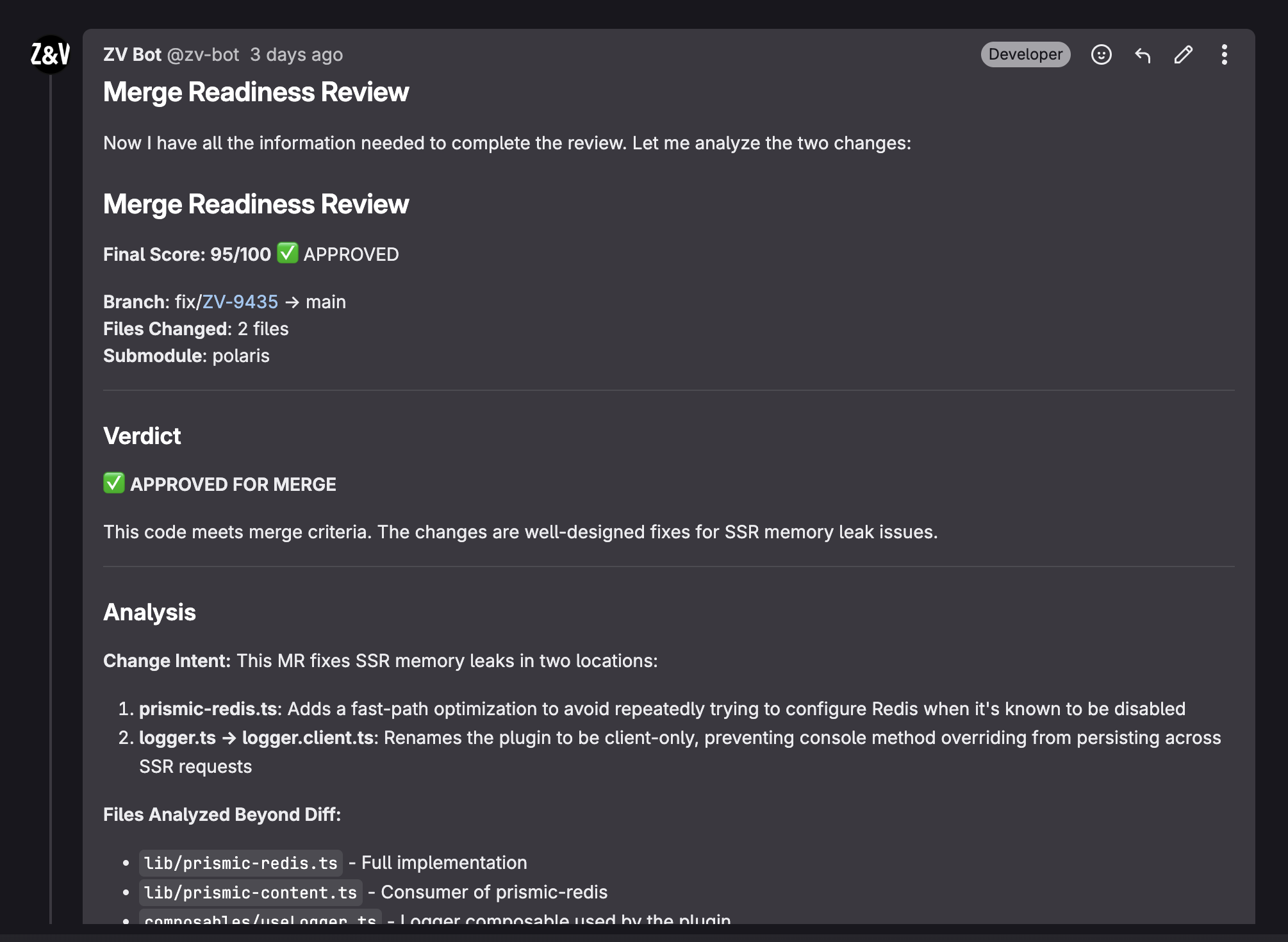
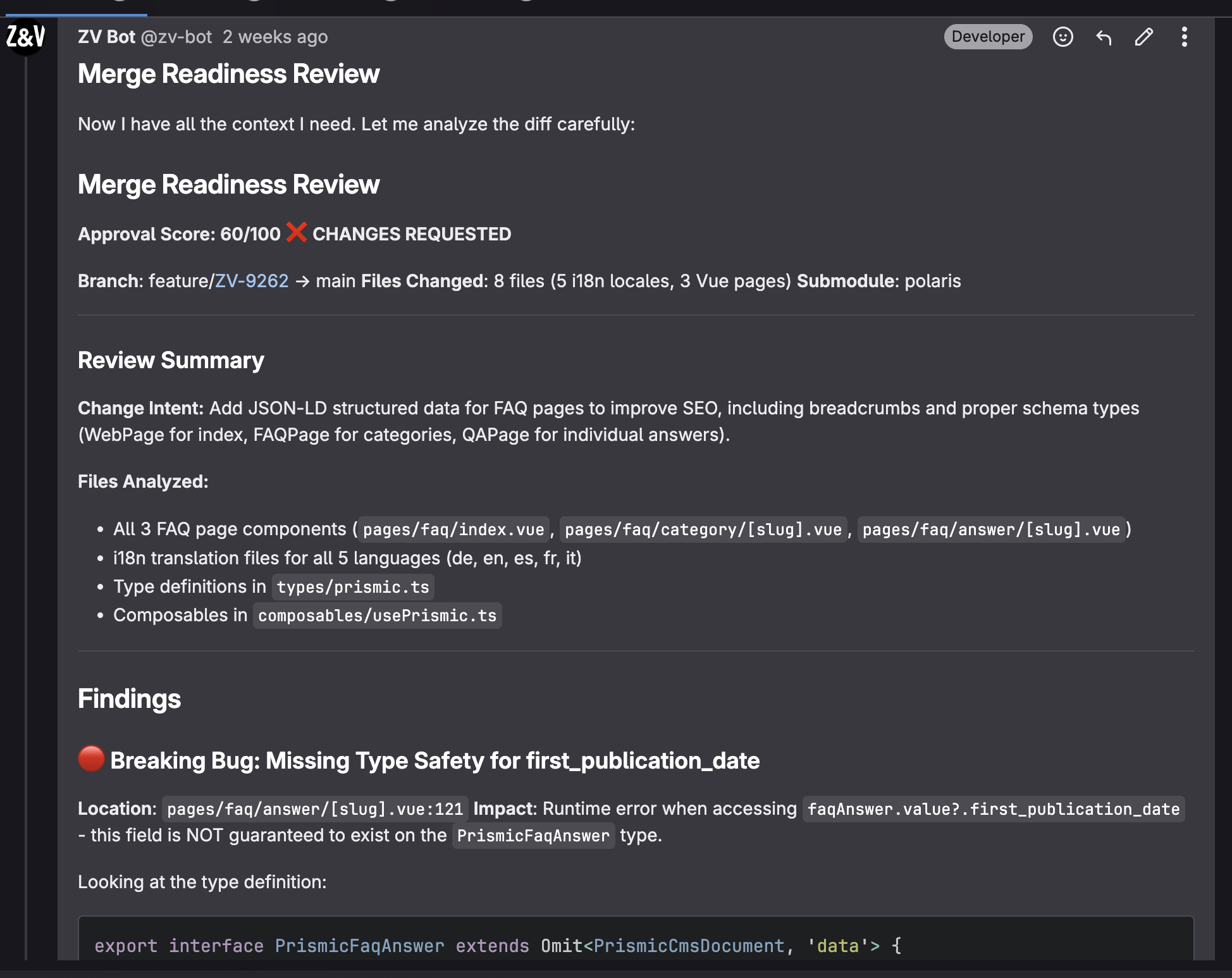
On every Merge Request on GitLab, the agent analyzes the diff, identifies problematic patterns, checks consistency with our conventions, and posts inline comments. A smart filter ignores metadata updates (labels, assignees) to only trigger on real code changes.
2. Feature Development
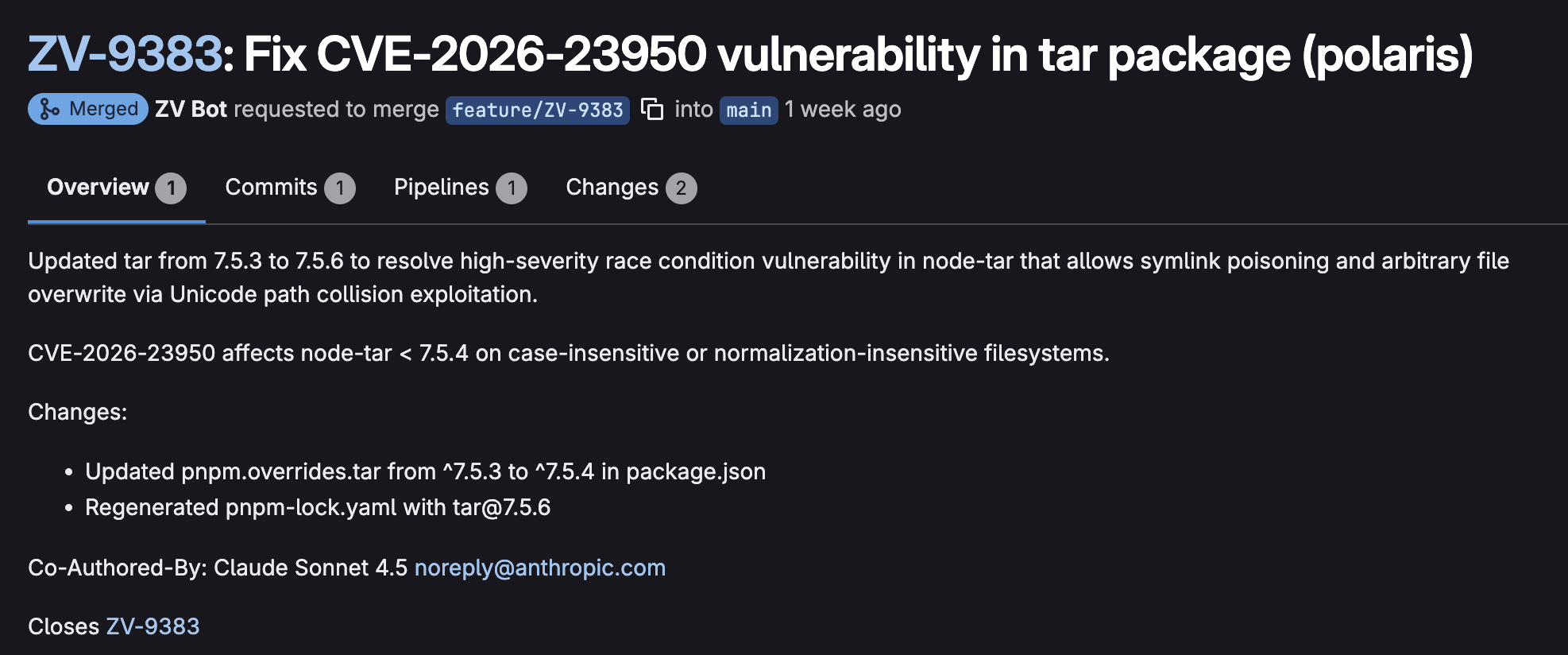
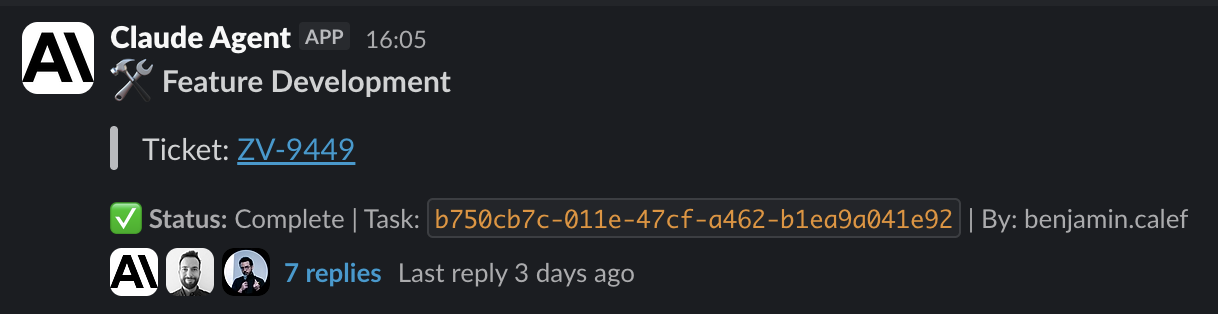
The /claude-dev ZV-1234 command fetches the Jira ticket, analyzes the specs, and implements the feature in a dedicated branch. The agent pushes the code and creates the MR automatically.
3. Codebase Q&A
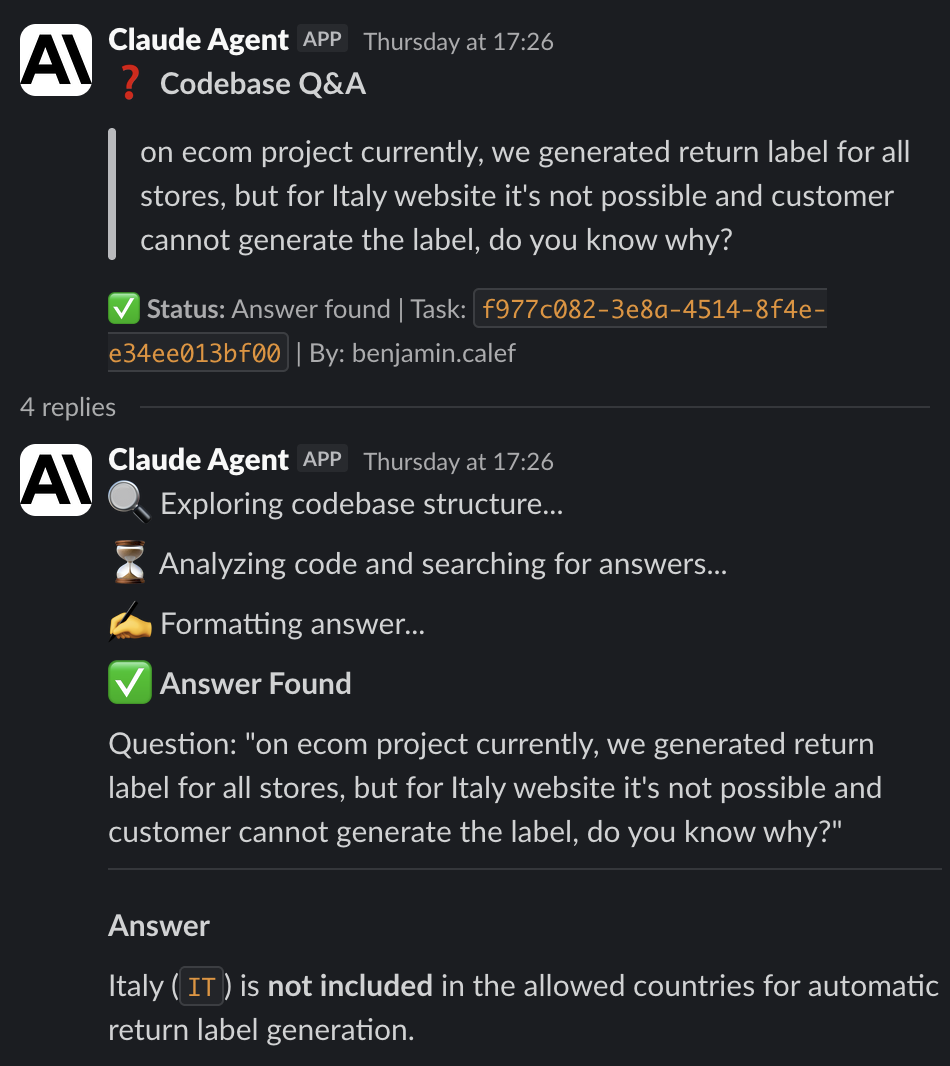
Need to understand how the product cache system works? /claude-ask "How does product page caching work in Nuxt?" queries the agent that has access to all 4 submodules and responds with relevant files and code lines.
4. Ticket Creation
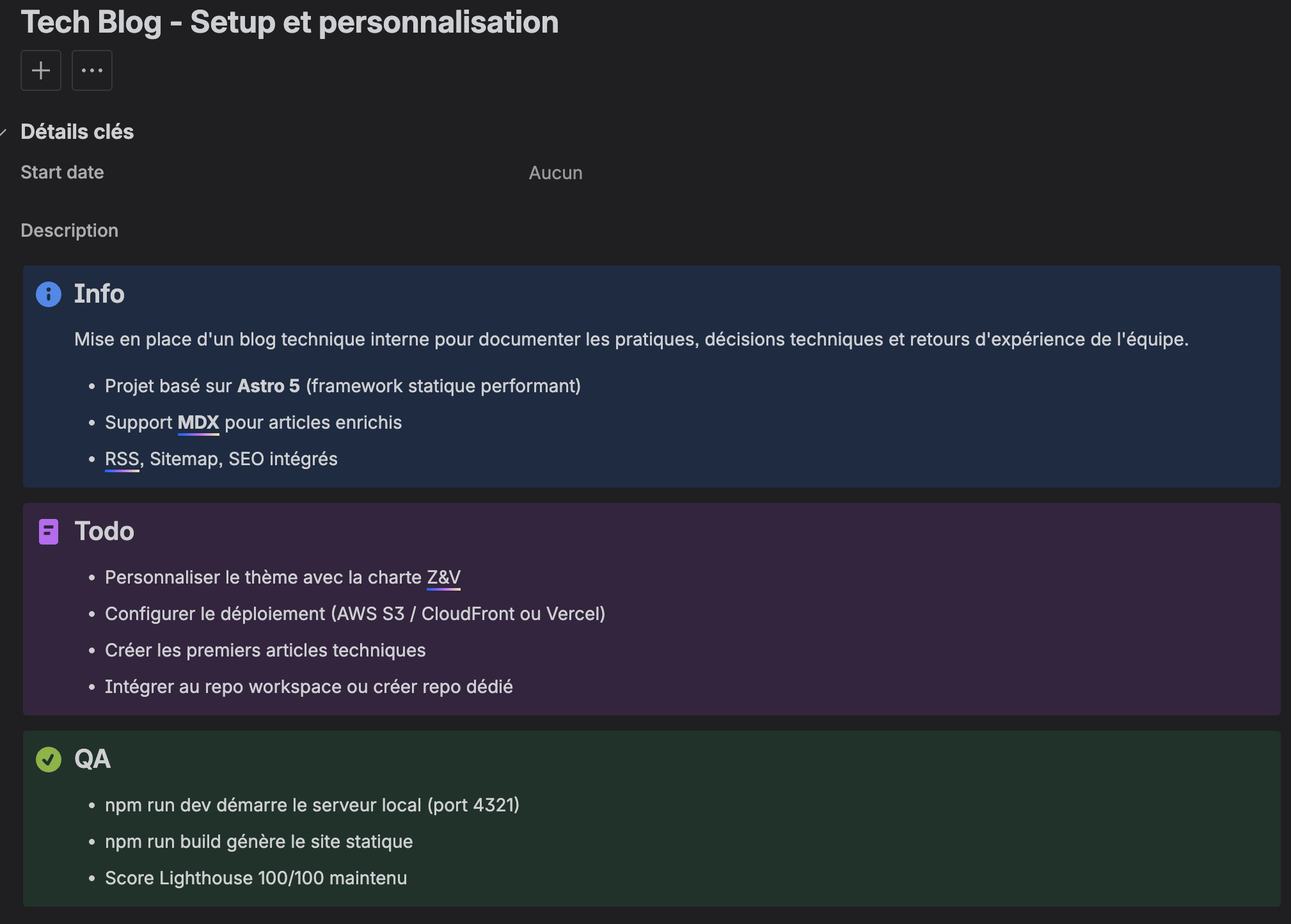
/claude-ticket "Create a ticket for setting up a technical blog on Astro 5" creates an AI-enriched Jira ticket: requirements info block, clearly specified technical todo, integrated QA steps.
5. Daily Standup
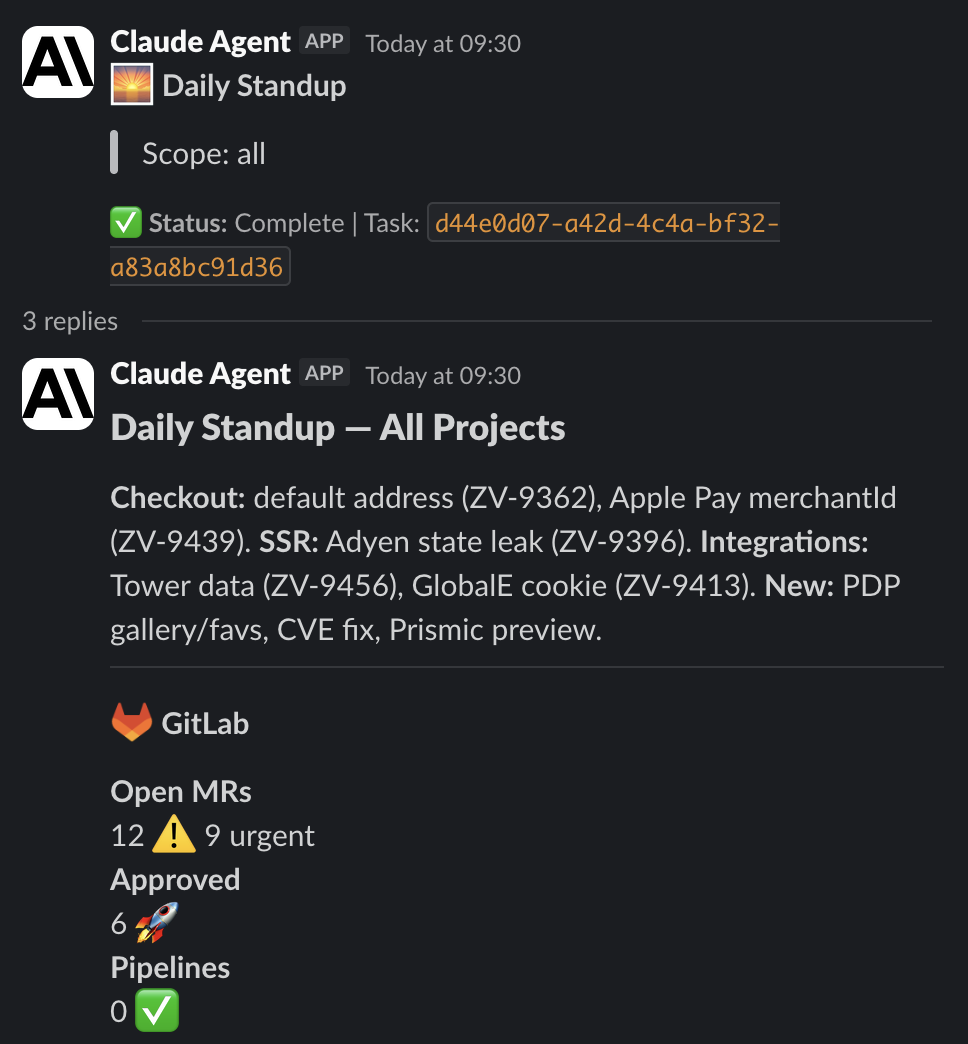
Every morning at 9am, the agent aggregates commits, merged MRs, and current tickets to generate a Slack summary of team activity.
Slack integration
Slack is the daily interaction hub. Each command follows the same UX pattern:
- Immediate response (< 3 seconds, Slack requirement)
- Asynchronous processing via SQS
- Original message update via
message_tsonce complete
# Usage examples
/claude-review https://gitlab.com/zv/nuxt/-/merge_requests/847
/claude-dev ZV-9523
/claude-ask "What are the delivery times on the site?"
/claude-ticket "Feature: add Apple Pay support on mobile checkout"
/claude-standup
Developers no longer need to leave their flow - the agent works in the background and notifies when ready. Anyone can directly trigger development as needed from Slack.
Results and metrics
After 3 weeks in production:
| Metric | Before | After | Delta |
|---|---|---|---|
| Failed pipelines post-merge | 12% | 4% | -67% |
| MRs merged per week | 19 | 27 | +42% |
| Issues detected in pre-review | 8% | 31% | +287% |
| Security incidents (code) | 1/month | 0 | -100% |
*On new code only
Technical challenges
Multi-context prompt engineering
Each submodule has its own universe: Vue/TypeScript (Nuxt3) for frontend, Node.js/AWS for lambda, PHP/Magento for backend, Terraform for infra. Our system prompts include the CLAUDE.md specific to the project detected in the diff.
The fairly recent game-breaker (added to Claude Code in version v2.1.20 - January 26, 2026):
CLAUDE_CODE_ADDITIONAL_DIRECTORIES_CLAUDE_MD=1 claude \
    --add-dir nuxt \
    --add-dir lambda \
    --add-dir magento \
    --add-dir infra
This command loads all CLAUDE.md files from each directory, with their own specifics.
These must be perfectly optimized to avoid loading too much context. In any case, the efficiency is there and the model has global knowledge of the entire codebase.
The ideal workflow: context separation
One of the key learnings from our usage: quality comes from task separation.
-
Ticket creation - Claude has access to the entire codebase. It knows exactly what needs to be done, which files are impacted, and generates a perfectly detailed technical Jira ticket.
-
Development - Claude starts with an empty context, but a precise ticket. No noise, no assumptions: it implements exactly what’s specified.
-
Code review - Final evaluation of the technical output. Approval or rejection with actionable feedback.
This separation avoids hallucinations and guarantees complete traceability: every technical decision is documented in the ticket before implementation.
Context window management
The agent loads all 4 submodules via --add-dir, giving it access to the entire codebase (~300K lines). But each task starts with an empty conversation: no polluted history, no residual context.
This systematic reset:
- Avoids confusion between successive tasks
- Guarantees deterministic responses
- Allows running 24/7 without quality degradation
What’s next
- Automate QA, which now also needs to be integrated into the validation workflow to keep up with overall pace and velocity.
- Direct connection with Teams
- Add other automatable use cases
“Claude Agent doesn’t replace our expertise — it amplifies our ability to apply it. We spend less time on trivial code and more on architecture that matters.” — The Z&V Tech Team